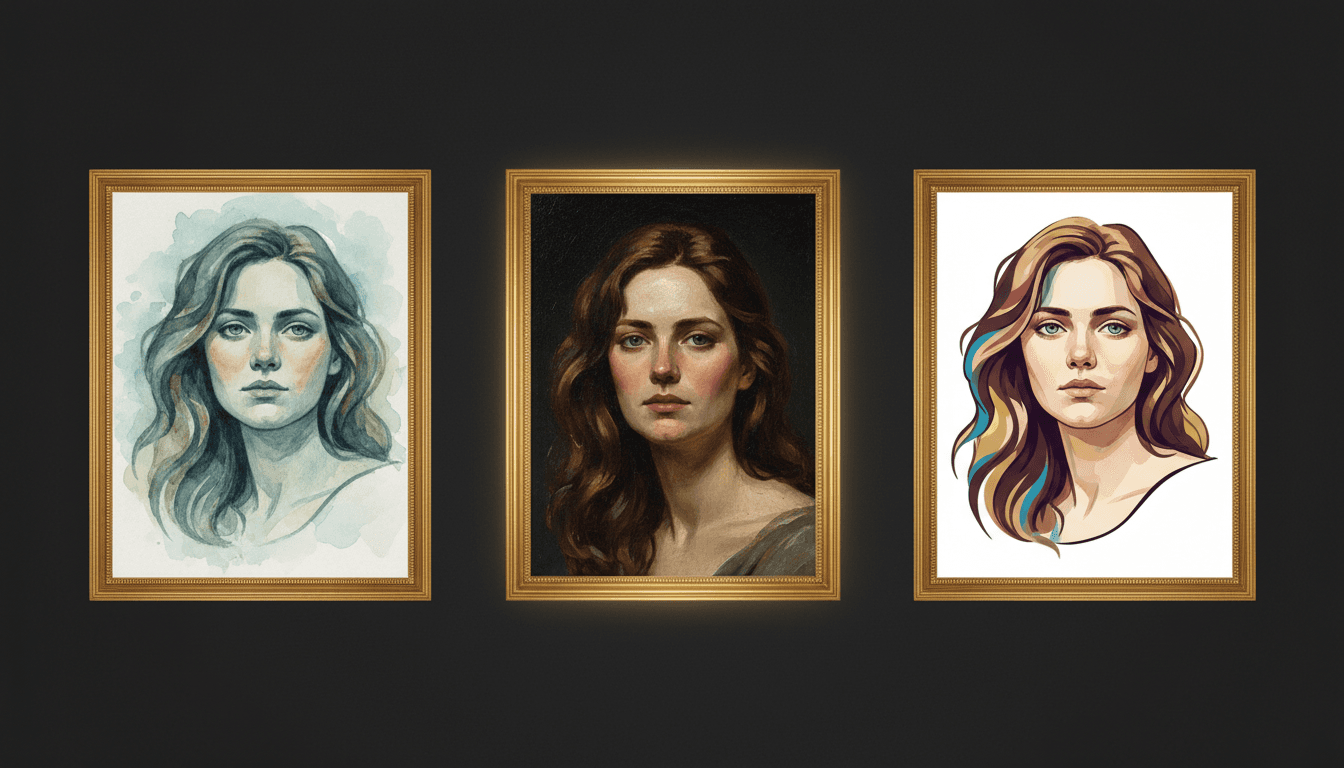
AI Image Consistency: Why Your Generated Content Looks Different Every Time
Understand why AI image generators produce inconsistent results and learn practical techniques — from reference images to brand kits — to achieve visual consistency across every generation.
You generate an image that looks perfect. You try to generate a similar one for a different post, and it looks like it was made by a completely different tool. The colors shifted, the style drifted, and the visual coherence you had five minutes ago is gone.
This is the most common frustration with AI image generators. Understanding why it happens — and what to do about it — is the difference between one-off AI experiments and a reliable content production system.
Why AI Outputs Are Inconsistent
AI image generators like FLUX, Gemini Imagen, and similar models create images through a stochastic process. Each generation starts from random noise and is guided by your prompt toward an output. This means:
- The same prompt produces different images every time because the starting noise is different
- Small prompt changes cause large visual shifts because the model interprets language probabilistically
- Style, color, and composition are not deterministic unless you explicitly constrain them
- Different models have different aesthetic defaults — switching models changes everything
This is not a bug. It is how generative models work. The solution is not to fight the randomness but to constrain it with the right inputs.
The Five Levers of Consistency
You have five practical levers to pull when you need consistent AI-generated images:
1. Reference Images
The single most effective consistency tool. When you include reference images with your generation request, the model anchors its output to those visual examples. This constrains:
- Color palette (the model pulls from the reference's colors)
- Composition style (the model mimics the reference's spatial arrangement)
- Mood and lighting (the model matches the reference's overall feel)
- Texture and detail level (fine-grained or minimal, matching the reference)
Build a reference library of 5 to 10 images that represent your target aesthetic. Use them consistently across all generations.
2. Specific Color References
Describing colors in natural language gives the model too much freedom. Instead of "warm orange," write the specific hex code or describe the exact shade: "deep burnt orange similar to #FF6D38."
Create a list of your brand colors and include them in every image generation prompt. This single change reduces color drift dramatically.
3. Consistent Prompt Structure
Your prompts should follow a standardized template for each content type. A structured prompt includes:
- Subject — What is in the image
- Style — Visual treatment (photorealistic, illustration, flat design)
- Composition — How elements are arranged (centered, rule of thirds, close-up)
- Color palette — Specific colors or mood
- Quality descriptors — Resolution, detail level, lighting
Using the same template for every generation ensures you are not accidentally omitting a constraint that was present last time.
4. Fixed Seeds (When Available)
Some generators let you specify a seed value — the random starting point for the generation. Using the same seed with the same prompt produces very similar (sometimes identical) results. This is useful when:
- You need to regenerate an image with a minor tweak
- You want a series of images with the same "feel"
- You are exploring variations of a concept
Not all tools expose seed control, but when it is available, use it deliberately.
5. Brand Kit Automation
The most scalable solution combines all of the above into a stored brand kit: reference images, color palettes, style descriptors, and prompt templates in one reusable package. Load the kit before every generation, and consistency becomes automatic rather than manual.
Morphica's brand kits are designed for exactly this — storing your visual identity and applying it to every image, carousel, and video generation without re-entering brand constraints each time.
Building a Consistency Workflow
Here is a step-by-step workflow for producing consistent AI-generated images:
Step 1: Define your baseline. Generate 10 images that match your brand vision. Save the best 5 as your reference library.
Step 2: Document your constraints. Write down the prompt template, color palette, mood descriptors, and composition preferences that produced those 5 winning images.
Step 3: Create your brand kit. Store all of the above in a reusable kit — either in your AI generation tool or in a shared document.
Step 4: Generate with constraints loaded. For every new image, start by loading your brand kit. Write the specific content prompt on top of the stored constraints.
Step 5: Evaluate and refine. After each batch, compare new images against your reference library. If drift is visible, tighten the constraints. If outputs are too similar, selectively loosen them.
Common Consistency Failures
The Prompt Drift Problem
Over time, people start tweaking their prompts without updating the template. One person adds "vibrant colors." Another adds "soft lighting." Within a month, the prompts have diverged enough to produce visually inconsistent output.
Fix: Use a shared, version-controlled prompt template. All changes go through the template, not individual additions.
The Model Switch Problem
Switching AI models without recalibrating your constraints produces jarring inconsistency. Each model has different strengths, defaults, and responses to the same prompt language.
Fix: If you switch models, regenerate your reference library and adjust your prompt templates for the new model's behavior.
The One-Shot Problem
Generating a single image and publishing it is a consistency gamble. You might get lucky, or you might publish something that looks off-brand.
Fix: Always generate 3 to 5 variations and select the best match. The selection step is where human judgment enforces consistency.
The Speed Problem
Under time pressure, people skip the brand kit, skip the reference images, and just prompt quickly. The result is individually acceptable but collectively inconsistent content.
Fix: Make loading the brand kit so easy that skipping it takes more effort than using it.
Measuring Consistency
How do you know if your consistency workflow is working? Use these concrete tests:
The grid test. Lay out your last 20 AI-generated images in a 4x5 grid. Do they look like they belong to the same brand? If more than 2 or 3 stand out, your constraints need tightening.
The color sample test. Use a digital color picker on 10 recent images. Are the dominant colors within your defined palette? Track the average deviation from your target hex codes.
The stranger test. Show your content to someone unfamiliar with your brand alongside competitor content. Can they identify which images are yours? If not, your visual identity is not distinct enough.
The production speed test. Track how long it takes from brief to published image. If the time is increasing, your workflow has friction that needs simplifying. If it is stable or decreasing, the system is working.
Consistency Is a System, Not a Skill
The teams that maintain visual consistency across AI-generated content are not more talented — they have better systems. They defined their constraints once, stored them accessibly, and embedded them into the generation workflow so consistency happens automatically.
Build the system first. The consistency follows.